

Friends often ask questions about PCB design. Today, our editorial team has summarized your questions and compiled the technical engineers’ answers below for your reference:

1. Why does the final PCB layout not match the schematic?
A: This situation happens quite often. Although the connections are clearly shown in the schematic, the lines were not drawn according to specifications, resulting in the connections not appearing in the generated netlist.
2. How to recover hidden DESIGNOR part numbers in Protel99
A: In SCH, double-click the component, select "Hidden Fields" and "Field Names" in the dialog box, then double-click "Text" and "Type" respectively and uncheck the "Hide" box for each. Finally, double-click the component again and uncheck "Hidden Fields" and "Field Names" in the dialog box.
3. How to use the “Global Functions” feature in Protel99 to add packages to all components that do not have packages
A: Press the Global key. For example: To change the package for Res2, remove the * in Designer, enter "Res2," check the "Footprint" box in "Copy Attribute," and select "All primitives" in "Change Scope."
4. I wasn't prompted to enter a license number when installing PROTEL99. PROTEL99 is currently working, but there are some issues. How do I enter the license number?
A: First, we recommend that you reinstall Protel99SE. To resolve your issue: Click the arrow on the left side of the Protel99 menu bar, select "Security," then select "PCB SCH Route" and "Un-lock" in turn. Click "Add" and enter your password.
5. Why can't the pins for diodes and transistors in the schematic be found when importing the netlist into the PCB?
A: The reason is that the pin names are defined differently in SCH and PCB schematics. In particular, for diodes and transistors, A and K correspond to pins 1 and 2, while E, B, and C correspond to pins 1, 2, and 3, respectively. When editing the netlist yourself, be careful not to mix up the pin order.
6. There is a long list of old files in the toolbar, and it looks very cluttered. I deleted the original files—where can I delete this list?
Answer: In the \Windows directory, there is a Protel configuration file named Client99.ini. Open it with a text editor, locate the [Closed Files List] section, delete all content in that section, then save the file and exit.
Design Rules and Terminology Standards for Version Management
Grouping and standardizing the terminology related to design rules and version management by concept is more conducive to aligning reviews than continuing to use customary terms; refer to the specifications for guidance.EMI Design Specifications and Control Principles。
The same term often carries different default assumptions across the design, procurement, production, and inspection phases; without prior alignment, it is easy for all parties to arrive at conclusions that are correct in their own right but mutually contradictory. It is recommended to establish a terminology cross-reference table that specifies the scope of application, the version of the reference document, and the responsible party for verification; obsolete terms should be archived separately. This page does not provide any line widths, spacing values, hole diameters, or software setup instructions; all descriptions from the original text remain unchanged.
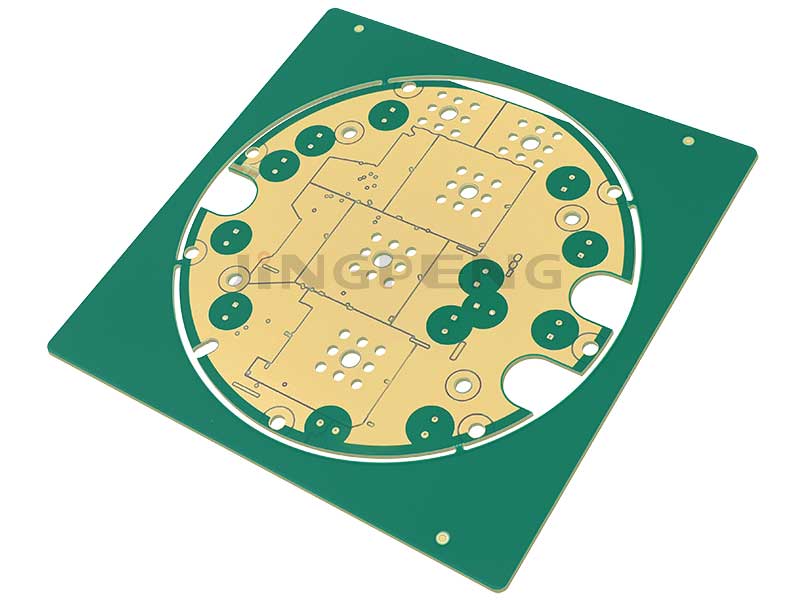
- Classify by concept and assign uniform names.
- The default assumptions differ across the various stages.
- The cross-reference table specifies the basis and functions.
- Invalid names are kept on file separately.
- Comparisons are only valid when the criteria are consistent.
- This article does not provide operating conditions.
Document and Version Control
Requirements for tasks or test documents with the same name may vary across different versions; executing them based on name rather than version will result in a loss of comparability. For standard compilation, please refer toCommon IPC Standards for Printed Circuit Boards。
It is recommended that document numbers, version numbers, effective dates, and approver information be retained in the records, and that redistribution permissions be restricted; only the currently valid version should be kept on-site, while obsolete versions should be stored separately. Applicable standards, customer specifications, and internal operating procedures belong to different levels of hierarchy; the order of precedence in the event of a conflict should be specified in advance in the contract or technical agreement. This page does not provide any line width, spacing, or hole diameter values, nor any software setup procedures; the descriptions already present in the original text remain unchanged.
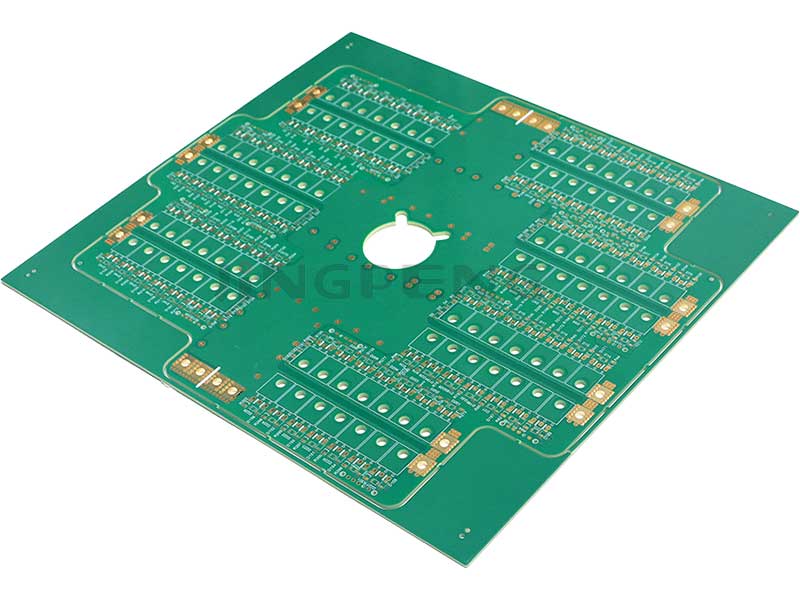
- Versions with the same name may differ.
- No., Version, Date, Approver—all recorded.
- Only the currently valid version will remain on-site.
- Standard customer component hierarchy.
- Priorities are agreed upon in advance.
- The conclusion does not change depending on who cites it.
Supplier Data Sheet and Responsibility Interface
Performance and safety information related to design rules and version management should be derived from controlled documentation provided by the supplier, rather than from anecdotal experience or visual impressions. For regulatory guidance, please refer toWhat is RoHS?。
It is recommended to document the name, version, effective date, responsible department, and approver of the documentation, and to cross-reference it with the procurement specifications and acceptance criteria; when the documentation is updated or the supplier changes, the authorized department shall assess the scope of impact and initiate a re-evaluation. This page does not provide any line width, spacing, or aperture values, nor does it include software setup procedures; the descriptions already present in the original text remain unchanged.

- The information is derived from controlled sources.
- Name, Version, Date, Approver—all recorded.
- Cross-reference with the procurement specifications and acceptance criteria.
- Updates to the data trigger a re-evaluation.
- The data tables and regulations shall prevail.
- This article does not specify any terms of use.
Safety, Environmental Protection, and Applicable Regulations
On-site obligations related to design rules and version control should be verified separately in accordance with applicable laws and local regulatory requirements; external experience cannot be applied directly. For guidance on interpreting standards, please refer toA Comprehensive Overview of Common Printed Circuit Board Standards。
It is recommended to establish a list of applicable regulations that documents the regulation name, version, effective date, responsible functions, and review milestones, and to cross-reference compliance conclusions with procurement and delivery documents. Matters such as occupational protection, waste disposal, and information disclosure shall be governed by on-site controlled documents, supplier data sheets, and local regulations, and shall be reviewed by appropriately qualified personnel before being filed. This page does not provide any line width, spacing, or aperture values, nor any software setup procedures; the descriptions already present in the original text remain unchanged.

- The list of regulations is maintained separately.
- Specify the version date and responsibilities.
- Compliance conclusions and procurement are interrelated.
- Refer to the on-site documentation for safety precautions.
- Verify and file the records of qualified personnel.
- This article does not provide operating conditions.
Staff Authorization and Position Qualifications
Personnel who access controlled information, make decisions regarding design rules and version control, or sign off on records must have explicit authorization; for guidance on reliability statements, please refer toPCB Reliability Design: DfR Principles and Applications。
It is recommended to maintain an authorization list that records job titles, scope of authorization, effective dates, approving authorities, and review points, with revoked authorizations clearly marked. Revoke permissions promptly when personnel are reassigned or a project is completed. Matters involving safety and regulatory interpretation should be handled by personnel with the appropriate authority; this document does not provide any methods for qualification determination, training content, or decision thresholds. This page does not provide any line width, spacing, or aperture values, nor does it provide software setup procedures; the descriptions already present in the original text remain unchanged.

- The list of authorized personnel is maintained by position.
- Scope, dates, and approval authority are recorded together.
- Revoke access privileges promptly once the job reassignment is complete.
- Separate label for revoked authorizations.
- Security explanations are provided by the authorized department.
- This article does not provide a threshold for determination.
Record Fields and the Chain of Custody
The value of records related to design rules and version control lies in their traceability; fields should be included in management information, and educational materials may be used as a reference.A Guide to PCB Materials。
It is recommended to record the time of discovery, the stage at which it was discovered, the sample identification, the version of the reference document, the positions responsible for execution and review, the conclusion category, the nonconformance report number, and the disposition status, and to link these to the batch, work order, and report numbers; the disposition conclusion must be confirmed in writing by an authorized official, and the recipient’s acknowledgment must be filed. This page does not provide any line width, spacing, or hole diameter values, nor any software setup procedures; the descriptions already present in the original text remain unchanged.

- The field is located in the traceability information.
- The date of discovery is recorded alongside the specimen.
- Retain based on version and position.
- Disposition is confirmed by the authorized function.
- The acknowledgment and the re-evaluation conclusion cross-reference each other.
- This article does not provide instructions on how to proceed.
Review Records and Conclusions Are Traceable
The value of reviews related to design rules and version control lies in documenting traceable conclusions, rather than merely reaching a verbal agreement on the spot.
It is recommended that review records include the topic, participating functions, the version of the reference document, conclusions, outstanding items, and closure status, and that they cross-reference the glossary and record ledger. For items on which consensus has not been reached, the responsible person and the date for re-evaluation should be specified to prevent the issue from recurring in a different form in the next delivery cycle; Relevant records shall be archived by project and version, with invalid conclusions clearly marked. This page does not provide any line widths, spacing values, hole diameters, or software configuration steps; all descriptions already present in the original text remain unchanged.

- The review results in traceable conclusions.
- The basis for the agenda items is the same.
- The conclusions and outstanding issues are listed side by side.
- Write the responsibilities and tasks for pending items.
- Several lists reference each other.
- Invalid conclusions should be marked separately.
Outsourcing Agreement with Suppliers
Clearly define the boundaries of responsibility among external partners, suppliers, and internal functions regarding design rules and version control to avoid gaps where no one is responsible for verification. Management guidelines can be referenced as follows:Management Guidelines for 5G PCBs。
It is recommended that the agreement specify the scope of delivery, compliance documentation accompanying the goods, procedures for reporting deviations, prohibited actions, and principles for handling breaches of contract, and require the other party to provide written notice of any changes to document versions. Any delivery beyond the agreed scope may only be accepted after written confirmation by the authorized department; documents of unknown origin shall not be included in the controlled document system nor used as the basis for acceptance. This page does not provide any line width, spacing, or hole diameter values, nor any software configuration steps; the descriptions already present in the original text remain unchanged.

- The scope of responsibility is specified in the agreement.
- The scope of delivery and compliance documentation are clearly defined.
- Any deviation from the standard notification method must be agreed upon.
- Any changes to the information must be notified in writing.
- Deliveries made beyond one's authority require authorization and confirmation.
- Items of unknown origin are not accepted for control.
Exceptions and Exemptions from Approval
When on-site conditions are limited, there are always exceptions to existing rules regarding design guidelines and version control; the key is to turn those exceptions into verifiable, written conclusions.
It is recommended to establish an exemption record that covers the reason for the request, the scope involved, the scope of impact, the basis for substitution, the approving authority, and the re-evaluation milestones, and that cross-references the review record. An exemption does not constitute permanent approval; when subsequent versions of documentation, suppliers, or supporting documents change, a reassessment should be conducted to determine whether the historical conclusion remains applicable. This page does not provide any line width, spacing, or aperture values, nor does it include software setup procedures; the descriptions already present in the original text remain unchanged.

- Exceptions due to time constraints are inevitable.
- Exceptions must be documented in writing.
- Record the reason, scope, and basis.
- The approval functions and re-evaluation milestones are specified.
- Cross-references to the review records.
- Do not provide a value for the alternative condition.
Changes to Trigger Conditions and the Scope of Re-evaluation
Any change to the document version, supplier, applicable regulations, or supporting documentation should trigger a targeted re-evaluation of the design rules and conclusions related to version control.
The value of a re-evaluation lies in confirming whether historical conclusions remain valid, rather than redoing the entire record from scratch. It is recommended to document changes, the scope of impact, re-evaluation conclusions, and conditions for restoration, and to cross-reference these with the original evaluation records and non-conformance reports. For cross-departmental projects, the authorized department should uniformly determine the scope of the re-evaluation to avoid having two sets of criteria coexisting for the same project. This page does not provide any line width, spacing, or hole diameter values, nor does it include software setup instructions; the descriptions already present in the original text remain unchanged.
- Any change will trigger a reassessment.
- Determine whether historical conclusions are applicable.
- The scope of impact and conclusions remain the same.
- Clearly state the conditions for restoration.
- Cross-references with the exception record.
- Avoid having two sets of criteria operating in parallel.
Comparison of Governance Dimensions
Comparing design rules with the scope, sources, and documentation formats of version control helps quickly identify gaps in policies or records that need to be addressed during reviews. The table below provides only a qualitative classification and does not replace the conclusions of a review or approval.
The table does not provide any formulations, temperatures, times, pressures, quantities, or pass/fail criteria. Actual conclusions must be jointly confirmed based on the supplier’s data sheets, on-site operating procedures, applicable standards, contracts, and local regulations, and must be reviewed by personnel with the appropriate qualifications before being filed. The purpose of the table is to ensure that no management items are overlooked; it is not intended to replace any round of actual review or validation. This page does not provide any line widths, spacings, pore sizes, or software setup procedures; the descriptions already present in the original text remain unchanged.
| Subject of Focus | Source | Recording Medium |
|---|---|---|
| Terminology and Versions | Standards and Documents | Cross-Reference Table and Version Log |
| Resources and Regulations | Data Tables and Lists | Source Ledger and List of Regulations |
| Authorization and Record-Keeping | Positions and Reporting | List of Authorizations and Record-Keeping Ledger |
| Review and Changes | Review and Approval | Review Records and Re-evaluation Conclusions |
- The form is used for the initial screening review.
- It is merely a qualitative classification.
- This is not a substitute for actual verification.
- No values are provided.
- The documents and regulations shall prevail.
- The review findings must be filed.
Client Review and Delivery Checklist
It is recommended to verify, item by item, the definitions of terms related to design rules and version control, as well as the reference versions, supplier documentation, lists of regulations, personnel authorizations, record ledgers, review records, outsourcing responsibilities, exemptions from approval, and re-evaluation conclusions. For welding standards, please refer toPCBA Soldering Standards。
The checklist should retain the verification conclusions and descriptions of discrepancies for each round as a basis for revising the procedures. This approach advances management from “filling in records only when asked” to a system characterized by “clear guidelines, defined responsibilities, and traceable processes,” and also enables the rapid identification of specific steps during client audits or internal traceability reviews. For cross-departmental projects, it is recommended that a single checklist be used as a delivery baseline shared by all three parties, with the effective version clearly indicated. This page does not provide any line widths, spacing, hole sizes, or software configuration steps; the descriptions already present in the original text remain unchanged.

- Go over the specifications and documentation item by item.
- Ensure that all statutory authorizations and records are thoroughly reviewed.
- Review the exemption from outsourcing in conjunction with the verification.
- The conclusions of the re-evaluation must be consistent.
- Description of the discrepancy write-back system.
- The three parties share a single baseline.
Frequently Asked Questions on Design Rules, Version Control, and Compliance Management
1. Why is it important to standardize the terminology first?
Because the same term often carries different underlying assumptions in the design, procurement, production, and inspection phases, failure to align these assumptions in advance can easily lead to conclusions that are correct from each party’s perspective but mutually contradictory. It is recommended to establish a terminology cross-reference table that specifies the applicable scope, the version of the reference document, and the responsible party for verification; obsolete terms should be archived separately. This page does not provide any line widths, spacing values, hole diameters, or software configuration steps; all descriptions already present in the original text remain unchanged.
2. Why should data and information be based on controlled versions?
Since requirements for documents with the same name may vary across different versions, referencing them by name alone may compromise comparability. It is recommended to record the document number, version number, effective date, and approver, and to archive superseded versions separately; the order of precedence for applicable standards, customer specifications, and internal documents should be specified in advance in the contract.
3. How should safety and environmental protection obligations be incorporated into documents?
It is recommended to establish a list of applicable regulations, documenting the names, versions, effective dates, responsible functions, and review milestones, and to cross-reference compliance conclusions with procurement and delivery documents; occupational safety and waste disposal shall be governed by on-site controlled documents, supplier data sheets, and local regulations. This page does not provide any line width, spacing, or hole diameter values, nor does it include software setup procedures; the descriptions already present in the original text remain unchanged.
4. What information should the list of authorized personnel include?
It is recommended to specify the positions covered, the scope of authorization, the effective date, the approval functions, and the review points, and to clearly identify revoked authorizations. Revoke permissions promptly when personnel are reassigned or a project ends. Matters involving security and regulatory interpretation should be handled by personnel with the appropriate authority; this page does not provide any methods for qualification determination or decision-making thresholds.
5. What fields should the ledger include?
This should include the time of discovery, the stage at which it was discovered, the sample identification, the version of the reference document, the positions responsible for execution and review, the conclusion category, the nonconformance report number, and the resolution status, and should be linked to the batch, work order, and report numbers. The fields should focus on traceability information rather than recording any reusable conditions. This page does not provide any line widths, spacing values, aperture sizes, or software configuration steps; the descriptions already present in the original text remain unchanged.
6. Under what circumstances should a re-evaluation be initiated?
Any change to the version of the documentation, the supplier, the applicable regulations, or the supporting documents should trigger a targeted re-evaluation to confirm whether the previous conclusions remain valid. It is recommended to document the changes, their scope of impact, the re-evaluation conclusions, and the conditions for reinstatement to avoid having two sets of supporting documentation coexisting for the same project.
7. Why should the scope of responsibility for outsourced work be included in the agreement?
Since verbal agreements cannot be traced back after a version update or personnel changes, it is recommended to clearly specify the scope of delivery, the compliance documentation accompanying the shipment, the procedures for reporting deviations, and prohibited actions, and to require the other party to provide written notification of any changes to document versions. Documents of unknown origin should not be included in the controlled document system.
8. What should be included in the delivery checklist prior to client review?
Recommendations should include terminology definitions, applicable versions, supplier information, a list of regulations, personnel authorizations, record-keeping logs, review records, outsourcing responsibilities, exemptions from approval, and re-evaluation conclusions. For each round, retain the verification conclusions and descriptions of discrepancies, and update the management system accordingly. This page does not provide any line width, spacing, or aperture values, nor does it include software setup procedures; the descriptions already present in the original text remain unchanged.
7. How do you generate a netlist from a PCB and compare it to the SCH netlist? What command should you use, and how do you perform the comparison?
A: First, open the PCB file, select the "Design-Netlist Manager" menu, press the Menu key in the lower-left corner, and choose "Create Netlist From Connected Copper…". This will generate a netlist. Save it.
Next, select the "Design-Netlist Manager" menu, press the Menu key in the lower-left corner, select "Compare Netlist," choose your SCH netlist, click OK, and then select the PCB netlist you just saved. A comparison file will be generated shortly. If the two are identical, you're all set.
These questions and answers cover some common challenges in PCB design. If you encounter any issues during your PCB design process, don’t hesitate to seek help from a technical engineer—it’s a great way to resolve the problem. We hope these answers will be helpful for your PCB design work.
Various issues may arise during PCB design, but there are solutions for all of them. Communicating with technical engineers and seeking their assistance is key to resolving these issues. In PCB design, it is crucial to ensure that the netlist and component connections are correct, as this directly affects the final PCB.
Frequently Asked Questions (FAQs)
Why does the final PCB layout not match the schematic?
This may be because the lines were drawn incorrectly, causing them not to be connected properly in the generated netlist.
How do I find hidden DESIGNOR part numbers in Protel99?
In SCH, double-click the component, select "Hidden Fields" and "Field Names" in the dialog box, and then uncheck the "Hide" box.
How do I use the “Global Function” in Protel99 to add packages to all components that don't have them?
Use the Global key, enter the component name in Designer, check the "Copy Attribute" box for the footprint, and select "All primitives" in the Change Scope dialog.
I wasn't prompted to enter a license number when installing PROTEL99. PROTEL99 is currently working, but there are some issues. How do I enter the license number?
Click the arrow on the left side of the Protel99 menu bar, select "Security," then select "PCB SCH Route." Click "Unlock," click "Add," and enter the password.
Why can't I find the pins for diodes and transistors in the schematic when importing the netlist into the PCB?
This is because the pin names are defined differently in SCH and PCB files, so the netlist must be modified manually.
How do I delete the list of old files from the toolbar in Protel?
Open the Client99.ini file in the \Windows directory, delete the contents of the [Closed Files List] section, then save and exit.
How do you compare the network table generated from a PCB layout with the SCH network table?
Open the PCB file, select the "Design-Netlist Manager" menu, press the Menu key in the lower-left corner, select "Create Netlist From Connected Copper," and then select the SCH netlist for comparison.
We hope these answers will be helpful for your work in PCB design. If you have any further questions, please feel free to consult our technical engineers.
Related Processes:How to Avoid Common Mistakes in Printed Circuit Board Design · Electrical Safety Clearances