In PCB (Printed Circuit Board) design, adding Chinese character silkscreen text is a common task that helps identify components, provides additional information, and adds a personal touch to the circuit board. This article will share simple steps for adding Chinese character silkscreen text to your PCB design, making it easy for you to complete this task.
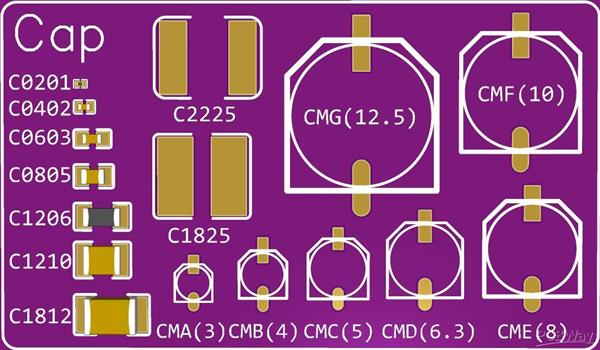
1. Open the AD software and load the project
First, open your AD (Altium Designer) software and load your PCB project. Next, open the PCB file and make sure you are ready to design the silkscreen.
II. Selecting the Screen-Printing Layer
In AD software, you need to select the layer to which you want to add Chinese character silk screening. Typically, Chinese character silk screening is placed on the top layer of the PCB, which is the visible part of the circuit board. In AD software, this layer is called “Top Overlay.”
III. Open Font Settings
In PCB design, choosing the right font is very important. Click the font icon in the menu bar of the AD software to open the font settings.
IV. Entering Chinese Characters
In the open font settings window, move the cursor to the corresponding text box, then press the “Tab” key. This will bring up the font settings menu. Here, you can enter the Chinese characters you want to add to the circuit board.
V. Selecting a Font Type
After entering the Chinese characters you want in the text box, the next step is to select a font type. In the Font Settings dialog box, select a “TrueType” font.
VI. Selecting TrueType Fonts
Once you've selected a TrueType font, you can click the drop-down menu to view the list of available fonts. Typically, you can select “Song” as the standard Chinese character font.
VII. Determining the Font Selection
If there are no other settings you need to change, simply click the “OK” button to confirm the selected font. This will be applied to the Chinese characters you want to add to the circuit board.
VIII. Placement of Chinese Characters
Finally, locate the position on the circuit board where you want to add the Chinese character, then left-click to place it. This step will add the character you selected to the PCB.
By following the steps above, you can easily add Chinese characters to the silkscreen in your PCB design. This process is relatively simple, but it ensures that your circuit board has clear labeling and a unique touch.
Don't forget to review the design after screen printing is complete to ensure that all components and markings are correctly placed.
Terminology Standards for Screen-Printed Characters and Data Management
Classifying and standardizing the terms related to screen-printed characters and data management by concept is more conducive to review alignment than continuing to use customary terms; please refer to the standard specifications for guidance.EMI Design Specifications and Control Principles。
The same term often carries different default assumptions across the design, procurement, production, and inspection phases; without prior alignment, it is easy for all parties to arrive at conclusions that are correct in their own right but mutually contradictory. It is recommended to establish a terminology cross-reference table that specifies the applicable scope, the version of the reference document, and the responsible party for verification; obsolete terms should be archived separately. This page does not provide any font parameters, screen printing settings, software operations, or curing conditions; all descriptions present in the original text remain unchanged.
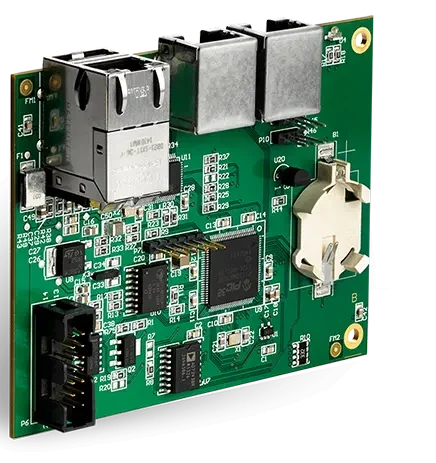
- Classify by concept and assign uniform names.
- The default assumptions differ across the various stages.
- The cross-reference table specifies the basis and functions.
- Invalid names are kept on file separately.
- Comparisons are only valid when the criteria are consistent.
- This article does not provide operating conditions.
Document and Version Control
Requirements for tasks or test documents with the same name may vary across different versions; executing them based on name rather than version will result in a loss of comparability. For standard compilation, please refer toCommon IPC Standards for Printed Circuit Boards。
It is recommended that document numbers, version numbers, effective dates, and approver information be retained in the records, and that redistribution be restricted; only the currently valid version should be kept on-site, while obsolete versions should be stored separately. Applicable standards, customer specifications, and internal operating procedures belong to different levels of hierarchy; the order of precedence in the event of a conflict should be specified in advance in the contract or technical agreement. This page does not provide any font parameters, screen printing settings, software operations, or curing conditions; the descriptions already present in the original text remain unchanged.

- Versions with the same name may differ.
- No., Version, Date, Approver—all recorded.
- Only the currently valid version will remain on-site.
- Standard customer component hierarchy.
- Priorities are agreed upon in advance.
- The conclusion does not change depending on who cites it.
Supplier Data Sheet and Responsibility Interface
Performance and safety information related to screen-printed characters and data management should be derived from controlled documentation provided by the supplier, rather than from verbal experience or visual impressions. For regulatory guidance, please refer toWhat is RoHS?。
It is recommended to document the name, version, effective date, responsible department, and approver of the documentation, and to cross-reference it with the procurement specifications and acceptance criteria; when the documentation is updated or the supplier changes, the authorized department shall assess the scope of impact and initiate a re-evaluation. This page does not provide any font parameters, screen printing settings, software operations, or curing conditions; the descriptions already present in the original text remain unchanged.

- The information is derived from controlled sources.
- Name, Version, Date, Approver—all recorded.
- Cross-reference with the procurement specifications and acceptance criteria.
- Updates to the data trigger a re-evaluation.
- The data tables and regulations shall prevail.
- This article does not specify any terms of use.
Safety, Environmental Protection, and Applicable Regulations
On-site responsibilities related to screen-printed characters and data management should be verified independently in accordance with applicable laws and local regulatory requirements; external experience cannot be applied directly. For guidance on interpreting standards, please refer toA Comprehensive Overview of Common Printed Circuit Board Standards。
It is recommended to establish a list of applicable regulations that records the regulation name, version, effective date, responsible functions, and review milestones, and to cross-reference compliance conclusions with procurement and delivery documents. Matters such as occupational protection, waste disposal, and information disclosure shall be governed by on-site controlled documents, supplier data sheets, and local regulations, and shall be reviewed by appropriately qualified personnel before being filed. This page does not provide any font parameters, screen printing settings, software operations, or curing conditions; all descriptions present in the original text remain unchanged.
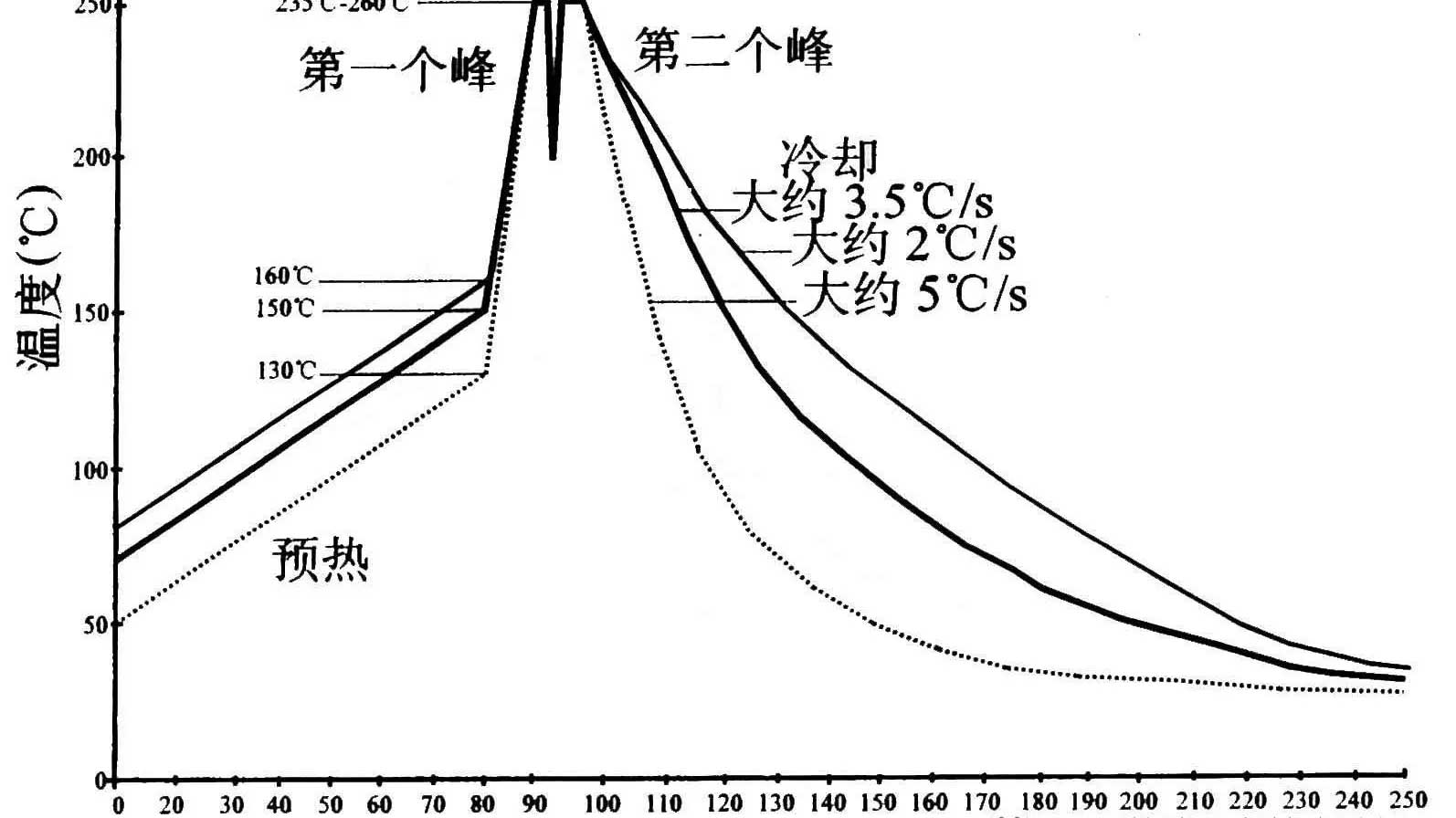
- The list of regulations is maintained separately.
- Specify the version date and responsibilities.
- Compliance conclusions and procurement are interrelated.
- Refer to the on-site documentation for safety precautions.
- Verify and file the records of qualified personnel.
- This article does not provide operating conditions.
Staff Authorization and Position Qualifications
Personnel who access controlled data, draw conclusions regarding screen-printed characters and data management, or sign off on records must have explicit authorization; for a statement of reliability, please refer toPCB Reliability Design: DfR Principles and Applications。
It is recommended to maintain an authorization list that records job titles, scope of authorization, effective dates, approving authorities, and review points, with revoked authorizations clearly marked. Revoke permissions promptly when personnel are reassigned or a project ends. Matters involving safety and regulatory interpretation should be handled by personnel with the appropriate qualifications; this document does not provide any methods for qualification determination, training content, or assessment thresholds. This page does not provide any font parameters, screen printing settings, software operations, or curing conditions; the descriptions already present in the original text remain unchanged.
- The list of authorized personnel is maintained by position.
- Scope, dates, and approval authority are recorded together.
- Revoke access privileges promptly once the job reassignment is complete.
- Separate label for revoked authorizations.
- Security explanations are provided by the authorized department.
- This article does not provide a threshold for determination.
Record Fields and the Chain of Custody
The value of records related to screen-printed characters and material management lies in their traceability; these fields should be included in management information, and reference can be made to material guidelines.A Guide to PCB Materials。
It is recommended to record the time of discovery, the stage at which it was discovered, the sample identification, the version of the reference document, the positions responsible for execution and review, the conclusion category, the nonconformance report number, and the disposition status, and to link this information to the batch, work order, and report numbers. The disposition conclusion must be confirmed in writing by an authorized official, and the recipient’s acknowledgment must be filed. This page does not provide any font parameters, screen printing settings, software operations, or curing conditions; the descriptions already present in the original text remain unchanged.

- The field is located in the traceability information.
- The date of discovery is recorded alongside the specimen.
- Retain based on version and position.
- Disposition is confirmed by the authorized function.
- The acknowledgment and the re-evaluation conclusion cross-reference each other.
- This article does not provide instructions on how to proceed.
Review Records and Conclusions Are Traceable
The value of screen-printed markings in reviews related to data management lies in providing traceable conclusions, rather than merely reaching a verbal agreement on the spot.
It is recommended that review records include the topic, participating functions, the version of the reference document, conclusions, outstanding items, and closure status, and that they cross-reference the glossary and record ledger. For items on which consensus has not been reached, the responsible person and the date for re-evaluation should be specified to prevent the issue from recurring in a different form in the next delivery cycle; Relevant records shall be archived by project and version, with invalidated conclusions clearly marked. This page does not provide any font parameters, screen printing settings, software operations, or curing conditions; all descriptions already present in the original text remain unchanged.

- The review results in traceable conclusions.
- The basis for the agenda items is the same.
- The conclusions and outstanding issues are listed side by side.
- Write the responsibilities and tasks for pending items.
- Several lists reference each other.
- Invalid conclusions should be marked separately.
Outsourcing Agreement with Suppliers
Clearly define the boundaries of responsibility among external partners, suppliers, and internal functions regarding screen-printed characters and data management to avoid any gaps where no one is responsible for verification. Management guidelines can be found inManagement Guidelines for 5G PCBs。
It is recommended that the agreement specify the scope of delivery, compliance documentation accompanying the goods, procedures for reporting deviations, prohibited actions, and principles for handling breaches of contract, and require the other party to provide written notice of any changes to document versions. Any delivery beyond the agreed scope may only be accepted after written confirmation by the authorized function; documents of unknown origin shall not be included in the controlled document system nor used as the basis for acceptance. This page does not provide any font parameters, screen printing settings, software operations, or curing conditions; the descriptions already present in the original text remain unchanged.

- The scope of responsibility is specified in the agreement.
- The scope of delivery and compliance documentation are clearly defined.
- Any deviation from the standard notification method must be agreed upon.
- Any changes to the information must be notified in writing.
- Deliveries made beyond one's authority require authorization and confirmation.
- Items of unknown origin are not accepted for control.
Exceptions and Exemptions from Approval
When on-site conditions are limited, there are always exceptions to established rules regarding screen-printed characters and data management; the key is to turn those exceptions into verifiable written conclusions.
It is recommended to establish an exemption record that covers the reason for the request, the scope involved, the scope of impact, the basis for substitution, the approving authority, and the re-evaluation milestones, and that cross-references the review record. An exemption does not constitute permanent approval; when subsequent versions of documentation, suppliers, or supporting documents change, a reassessment should be conducted to determine whether the historical conclusion remains applicable. This page does not provide any font parameters, screen printing settings, software operations, or curing conditions; the descriptions already present in the original text remain unchanged.

- Exceptions due to time constraints are inevitable.
- Exceptions must be documented in writing.
- Record the reason, scope, and basis.
- The approval functions and re-evaluation milestones are specified.
- Cross-references to the review records.
- Do not provide a value for the alternative condition.
Changes to Trigger Conditions and the Scope of Re-evaluation
Any change to the material version, supplier, applicable regulations, or supporting documentation should trigger a targeted re-evaluation of the screen-printed characters and conclusions related to material management.
The value of a re-evaluation lies in confirming whether historical conclusions remain valid, rather than redoing the entire record from scratch. It is recommended to document changes, the scope of impact, re-evaluation conclusions, and conditions for reinstatement, and to cross-reference these with the original evaluation records and non-conformance reports. For cross-departmental projects, the authorized department should uniformly determine the scope of the re-evaluation to avoid having two sets of criteria coexisting for the same project. This page does not provide any font parameters, screen printing settings, software operations, or curing conditions; the descriptions already present in the original text remain unchanged.

- Any change will trigger a reassessment.
- Determine whether historical conclusions are applicable.
- The scope of impact and conclusions remain the same.
- Clearly state the conditions for restoration.
- Cross-references with the exception record.
- Avoid having two sets of criteria operating in parallel.
Comparison of Governance Dimensions
Comparing screen-printed text with the subjects of data management, their sources, and their storage media helps quickly identify gaps in policies or records that need to be addressed during an audit. The table below is for qualitative classification only and does not replace the conclusions of an audit or approval process.
The table does not provide any formulations, temperatures, times, pressures, quantities, or pass/fail criteria. Actual conclusions must be jointly confirmed based on the supplier’s data sheets, on-site operating procedures, applicable standards, contracts, and local regulations, and must be reviewed by personnel with the appropriate qualifications before being filed. The purpose of the table is to ensure that no management requirements are overlooked; it is not intended to replace any round of actual review or validation. This page does not provide any font parameters, screen printing settings, software operations, or curing conditions; the descriptions already present in the original text remain unchanged.
| Subject of Focus | Source | Recording Medium |
|---|---|---|
| Terminology and Versions | Standards and Documents | Cross-Reference Table and Version Log |
| Resources and Regulations | Data Tables and Lists | Source Ledger and List of Regulations |
| Authorization and Record-Keeping | Positions and Reporting | List of Authorizations and Record-Keeping Ledger |
| Review and Changes | Review and Approval | Review Records and Re-evaluation Conclusions |

- The form is used for the initial screening review.
- It is merely a qualitative classification.
- This is not a substitute for actual verification.
- No values are provided.
- The documents and regulations shall prevail.
- The review findings must be filed.
Client Review and Delivery Checklist
It is recommended to verify, item by item, the terminology and definitions related to data management, the applicable versions, supplier data, lists of regulations, personnel authorizations, record-keeping ledgers, review records, outsourcing responsibilities, exemption approvals, and re-evaluation conclusions as indicated in the screen-printed text. Welding standards may be referenced as follows:PCBA Soldering Standards。
The checklist should retain the verification conclusions and descriptions of discrepancies for each round as a basis for revising the procedures. This approach advances management from “filling in records only when asked” to a system characterized by “clear guidelines, defined responsibilities, and traceable processes,” and also enables the rapid identification of specific steps during client audits or internal traceability reviews. For cross-departmental projects, it is recommended that a single checklist be used as a delivery baseline shared by all three parties, with the effective version clearly indicated. This page does not provide any font parameters, screen printing settings, software operations, or curing conditions; all descriptions from the original text remain unchanged.

- Go over the specifications and documentation item by item.
- Ensure that all statutory authorizations and records are thoroughly reviewed.
- Review the exemption from outsourcing in conjunction with the verification.
- The conclusions of the re-evaluation must be consistent.
- Description of the discrepancy write-back system.
- The three parties share a single baseline.
Frequently Asked Questions on Screen-Printed Markings and Data Governance Compliance
1. Why is it important to standardize the terminology first?
Because the same term often carries different underlying assumptions in the design, procurement, production, and inspection phases, failure to align these assumptions in advance can easily lead to conclusions that are correct from each party’s perspective but mutually contradictory. It is recommended to establish a glossary of terms, specifying the scope of application, the version of the reference document, and the responsible party for verification, while retaining obsolete terms in a separate archive. This page does not provide any font parameters, screen printing settings, software operations, or curing conditions; the descriptions already present in the original text remain unchanged.
2. Why should data and information be based on controlled versions?
Since requirements for documents with the same name may vary across different versions, referencing them by name alone may compromise comparability. It is recommended to record the document number, version number, effective date, and approver, and to archive superseded versions separately; the order of precedence for applicable standards, customer specifications, and internal documents should be specified in advance in the contract.
3. How should safety and environmental protection obligations be incorporated into documents?
It is recommended to establish a list of applicable regulations, documenting the names, versions, effective dates, responsible functions, and review milestones, and to cross-reference compliance conclusions with procurement and delivery documents; occupational protection and waste disposal shall be governed by on-site controlled documents, supplier data sheets, and local regulations. This page does not provide any font parameters, screen printing settings, software operations, or curing conditions; the descriptions already present in the original text remain unchanged.
4. What information should the list of authorized personnel include?
It is recommended to specify the positions covered, the scope of authorization, the effective date, the approval functions, and the review points, and to clearly identify revoked authorizations. Revoke permissions promptly when personnel are reassigned or a project ends. Matters involving security and regulatory interpretation should be handled by personnel with the appropriate authority; this page does not provide any methods for qualification determination or decision-making thresholds.
5. What fields should the ledger include?
This should include the time of discovery, the stage at which it was discovered, the sample identification, the version of the reference document, the positions responsible for execution and review, the conclusion category, the nonconformance report number, and the resolution status, and should be linked to the batch, work order, and report numbers. The fields should focus on traceability information rather than recording any reusable conditions. This page does not provide any font parameters, screen printing settings, software operations, or curing conditions; the descriptions already present in the original text remain unchanged.
6. Under what circumstances should a re-evaluation be initiated?
Any change to the version of the documentation, the supplier, the applicable regulations, or the supporting documents should trigger a targeted re-evaluation to confirm whether the previous conclusions remain valid. It is recommended to document the changes, their scope of impact, the re-evaluation conclusions, and the conditions for reinstatement to avoid having two sets of supporting documentation coexisting for the same project.
7. Why should the scope of responsibility for outsourced work be included in the agreement?
Since verbal agreements cannot be traced back after a version update or personnel changes, it is recommended to clearly specify the scope of delivery, the compliance documentation accompanying the shipment, the procedures for reporting deviations, and prohibited actions, and to require the other party to provide written notification of any changes to document versions. Documents of unknown origin should not be included in the controlled document system.
8. What should be included in the delivery checklist prior to client review?
Recommendations should include terminology definitions, applicable versions, supplier information, a list of regulations, personnel authorizations, record-keeping logs, review records, outsourcing responsibilities, exemptions from approval, and re-evaluation conclusions. For each round, retain the verification conclusions and descriptions of discrepancies, and update the management system accordingly. This page does not provide any font parameters, screen printing settings, software operations, or curing conditions; the descriptions already present in the original text remain unchanged.
Conclusion
In PCB design, adding Chinese characters as silkscreen markings can provide important information and a personalized touch. By following a few simple steps, you can successfully add Chinese character markings to your circuit board, making it more recognizable and unique.
Frequently Asked Questions
1. Why should Chinese characters be screen-printed on a PCB?
Chinese character screen printing can provide component markings, important information, and personalized features, which help identify and locate components while adding a unique touch to circuit boards.
2. How do I choose the right Chinese character font?
In PCB design, TrueType fonts are typically used; common choices include Songti. Select a clear, legible font to ensure that the Chinese characters are clearly visible when screen-printed.
3. Is special equipment required to screen print Chinese characters?
Typically, your PCB design software (such as AD software) includes a feature for adding Chinese characters via silkscreen printing, so no special equipment is required. However, during PCB manufacturing, silkscreen printing equipment is needed to print the Chinese characters onto the circuit board.
Related Recommendations:How to Choose the Right PCB Design Stack-Up Scheme