When designing a PCB layout, there are a series of specifications and guidelines that must be followed to ensure the final product offers high reliability and stable performance. This article will outline the key specifications to consider during PCB design, including layout design specifications and routing design specifications.
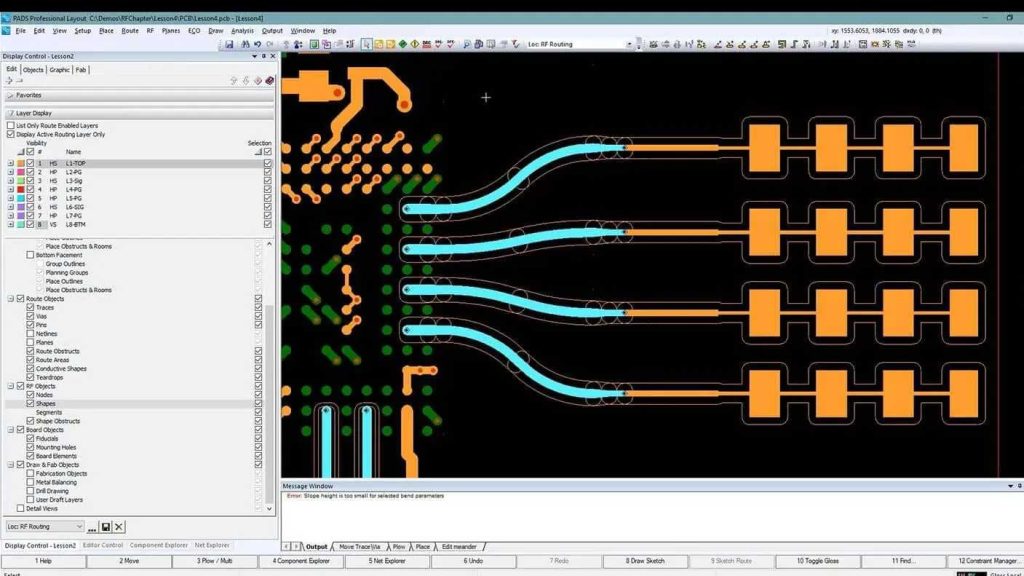
I. PCB Layout Design Specifications
1. Make sure the margins are large enough
The distance from the board edge should be greater than 5 mm (approximately 197 mil) to ensure board stability and manufacturability.
2. First, consider the placement of key components
Place components that are closely related to the overall structure—such as connectors, switches, and power outlets—in prominent positions within the layout.
3. Priority Placement of Core Components
Core components and larger components should be placed first, and the surrounding circuit components should be arranged with the core components at the center.
4. Proper Heat Dissipation
High-power components should be placed in locations that facilitate heat dissipation to prevent overheating.
5. Avoid Concentrated Mass
Heavier components should not be placed in the center of the board; instead, they should be positioned near the fixed edges of the chassis to distribute the weight.
6. Proximity of High-Frequency Signal Components
Components connected by high-frequency traces should be placed as close together as possible to minimize high-frequency signal propagation and electromagnetic interference.
7. Separation of Input and Output
Input and output components should be laid out as far apart as possible to minimize interference and feedback.
8. Safety Considerations
Components carrying high voltage should be placed in locations that are difficult to reach to ensure safety.
9. Stay away from heating elements
Thermal-sensitive components should be kept away from heating elements to prevent problems caused by overheating.
10. A layout that is easy to adjust
Adjustable components should be arranged in a way that facilitates adjustment when necessary.
11. Consider the direction of the signal flow
When designing the layout, consider the direction of signal flow and ensure that it remains as consistent as possible to minimize signal interference.
12. The layout should be even, neat, and compact.
The overall layout should be uniform, neat, and compact to improve manufacturing efficiency and performance.
13. Consistent Pad Orientation
For SMT components, the orientation of the pads should be as consistent as possible to facilitate placement and soldering and reduce the likelihood of bridging.
14. Place capacitors close by
Decoupling capacitors should be placed as close as possible to the power supply input to improve power supply stability.
15. Wave Soldering Height Limits
The maximum component height for the wave soldering surface is 4 mm to ensure soldering quality.
16. Layout of Multilayer Boards
For double-sided boards, larger and more densely packed ICs and through-hole components should be placed on the top layer, while the bottom layer should only contain smaller and more sparsely arranged surface-mount components.
17. Heat Dissipation
Small, high-power components require special attention to heat dissipation. Heat can be dissipated by applying a copper layer, and these components should be placed as far away from heat-sensitive components as possible.
18. High-Speed Components and Isolation
High-speed components should be placed as close as possible to the connectors; digital and analog circuits should be separated, isolated by ground planes, and grounded at a single point.
19. Distance Between Alignment Holes
The distance from the positioning hole to the nearest pad must be at least 7.62 mm (300 mil), and the distance to the edge of the surface-mount component must be at least 5.08 mm (200 mil).
II. PCB Layout Design Specifications
1. Avoid sharp angles and right angles
When designing circuits, avoid sharp angles and right angles; instead, use 45-degree bends to minimize signal reflections and interference.
2. Orthogonal Layout of Signal Lines
Signal lines on adjacent layers should be routed at right angles to each other to reduce signal interference.
3. Short high-frequency signal lines
High-frequency signal lines should be kept as short as possible to minimize signal attenuation and transmission loss.
4. Separation of Input and Output Signals
Input and output signal lines should be routed as far apart as possible; ground lines can be added to prevent feedback coupling.
5. Separate the power cord from the ground wire
On double-sided boards, the power and ground traces should follow the same direction as the data flow to enhance noise immunity.
6. Impedance Matching for High-Frequency Signal Lines
The width of high-speed clock lines and high-frequency signal lines should be determined based on characteristic impedance requirements to ensure signal quality.
7. Punch holes evenly
Holes in the entire circuit board should be evenly spaced to improve stability and manufacturability.
8. Power and Ground Wire Design
Separate power and ground planes should be as short and wide as possible, and the loops between the power and ground should be kept as small as possible to reduce interference.
9. Clock Line Routing
Clock lines should be routed with as few vias as possible and kept away from other signal lines and power sections to minimize interference.
10. Differential signal pairs
Differential signal pairs should generally be routed in parallel, minimizing the number of vias. When vias are necessary, both lines should be routed through the same via to ensure impedance matching.
11. Solder Joint Spacing
When the spacing between solder joints is very small, the joints must not be directly connected to each other to prevent short circuits.
These specifications and guidelines are crucial for the design and manufacture of PCBs. Adhering to these specifications ensures that PCBs offer high reliability, stable performance, and resistance to interference. At the same time, proper design can reduce production costs, improve production efficiency, and extend the service life of the PCBs.
PCB design is a complex and critical process that requires consideration of numerous factors to ensure the performance and reliability of the final product. Adhering to appropriate specifications and guidelines can help engineers design high-quality PCBs that meet the requirements of various applications. Whether for power supply PCBs, medical PCBs, or automotive PCBs, it is essential to follow these specifications to ensure product reliability and stability.
If you have any questions about PCB design or need further information, please feel free to contact us. We are here to provide you with support and assistance.
Frequently Asked Questions
1. Why do PCBs need to have sufficiently large margins?
Sufficiently large margins on a PCB can improve the board's stability and ensure that performance or manufacturing are not compromised by edge-related issues.
2. Why do high-frequency signal components need to be placed close together?
Placing high-frequency signal components close together can reduce the spread of high-frequency signals and electromagnetic interference, thereby improving signal quality.
3. Why should circuit designs avoid sharp angles and right angles?
Sharp angles and right angles can cause signal reflections and interference; using a 45-degree routing angle can help reduce these issues.
4. Why should the power line and ground wire be separated?
Separating the power lines from the ground lines can reduce interference and improve the circuit board's noise immunity.
5. Why does clock line routing require special attention?
Clock line routing affects the timing performance of the entire system and requires special attention to prevent timing issues and interference.
This FAQ can help you better understand the key specifications and guidelines for PCB design. If you have any other questions, please feel free to contact us.