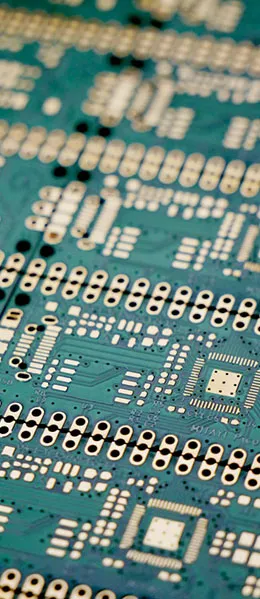
Printed circuit boards (PCBs) play a crucial role in modern electronic devices. To ensure product quality and performance, it is important to pay attention to certain details when inspecting PCBs. In this article, we will share nine tips to help you gain a more comprehensive understanding of the PCB inspection process and how to ensure it runs smoothly.
1. Precautions for Testing Televisions, Audio Systems, and Other Devices
1.1 Avoid Contact with the Live Base Plate
When testing PCBs, never use grounded test equipment to touch live televisions, audio systems, or video equipment. In particular, when working with devices that have high output power or whose power supply characteristics are unknown, be sure to check whether the device’s chassis is live. Failure to do so may cause a power supply short circuit, which could damage integrated circuits and exacerbate the scope of the malfunction.
2. Insulation Properties of Soldering Irons
2.1 Choose a soldering iron with good insulation
When inspecting PCBs, never solder with a powered soldering iron. Make sure the soldering iron is powered, and it is best to ground the soldering iron’s casing. Extra caution is required for MOS circuits; it is best to use a low-voltage soldering iron (6–8 V) to ensure safety.
3. Understand how integrated circuits work
3.1 Understanding the Operating Principles of Integrated Circuits
Before inspecting and repairing an integrated circuit, it is essential to gain a thorough understanding of the circuit’s functions, internal circuitry, key electrical parameters, and the roles of its pins. Understanding the normal voltages and waveforms at the pins, as well as how they interact with external components, can greatly simplify the analysis and inspection process.
Advanced: The first three tips are all about preventing "further escalation of the problem."
The first three points in the original text have one thing in common: they are not intended to improve measurement accuracy, but rather to prevent the scope of the malfunction from expanding. First, never use grounded test equipment to touch live televisions, audio systems, or video equipment. Be sure to check whether the equipment’s chassis is live; otherwise, it may cause a power supply short circuit, which could damage the integrated circuits and widen the scope of the malfunction. Second, never use a live soldering iron for soldering; it is best to ground the soldering iron’s casing. Extra caution is required when working with MOS circuits; it is best to use a low-voltage soldering iron rated at 6–8 V. Third, before inspecting or repairing an integrated circuit, gain a thorough understanding of its function, internal circuitry, key electrical parameters, and the roles of its pins. Understanding the normal voltages and waveforms at the pins, as well as the operating principles of the peripheral components, can greatly simplify the analysis and inspection process.
| Entry | Requirements in the original text | Preventing Risks |
|---|---|---|
| 1. Live Base Plate | Do not use grounded test equipment to touch live equipment; check whether the base plate is live. | Power supply short circuit, failure propagation |
| 2. Soldering Iron Insulation | No need to bring a powered soldering iron; the case is grounded; use a 6–8 V low-voltage soldering iron for the MOS circuit. | The device broke down |
| 3. Understanding the Principles of ICs | First, familiarize yourself with the functions, internal circuitry, electrical specifications, and pin functions. | Analysis of Misjudgments and Invalid Cases |
| Common Characteristics | These are all part of the preparations before the test. | Avoid letting minor problems turn into major ones |
- Special care must be taken with equipment that has high output power or whose power supply characteristics are unknown.: The original text uses “especially” for emphasis;
- Grounding the soldering iron's casing is the method specified in the original text.: Not an option;
- MOS circuits were singled out: The original text specifies a low-voltage circuit;
- Normal pin voltages and waveforms serve as the basis for analysis: The original text lists this as the key to simplification;
- All three were completed before work began.: This is part of the preparation phase, not the measurement phase.
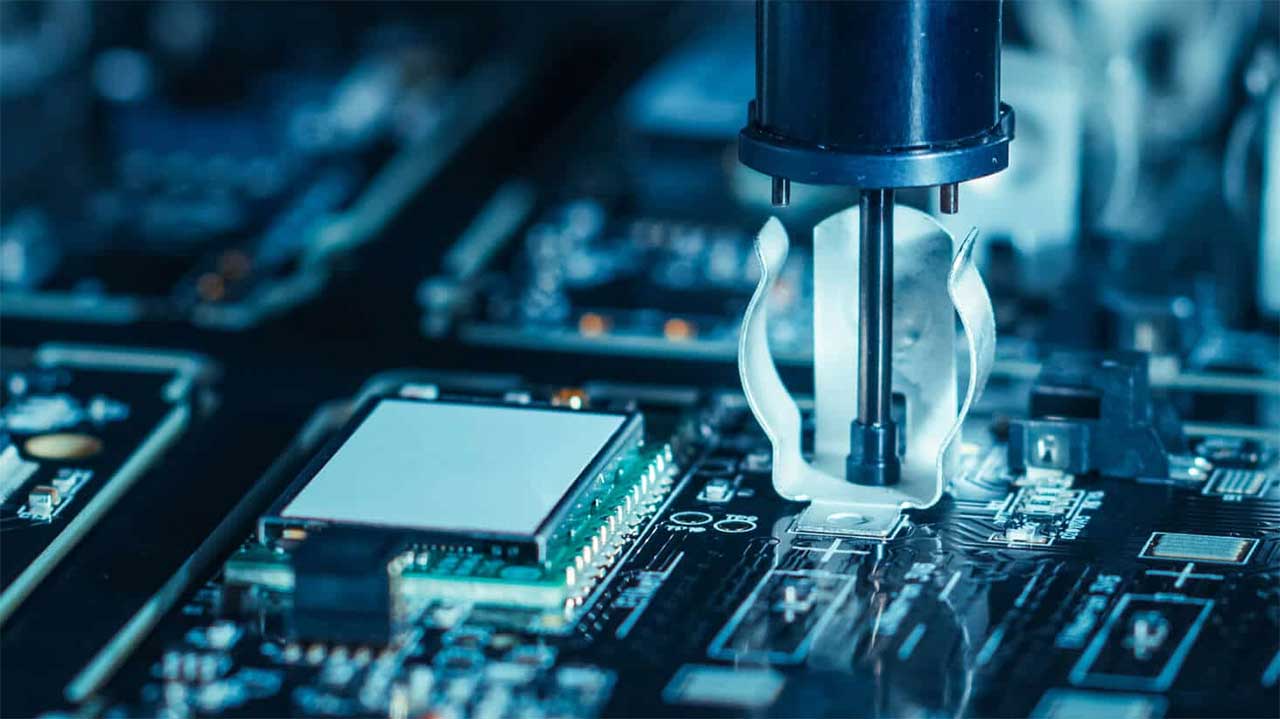
See PCBA TestingPCBA Testing; For assembly and testing, seeWhy Is PCB Assembly and Testing Necessary?。
4. Avoid short circuits between pins
4.1 Caution: Voltage Measurement
When measuring voltage or using an oscilloscope probe to test waveforms, be sure to exercise caution to avoid short circuits between integrated circuit pins caused by the test leads or probes slipping. It is best to take measurements on the peripheral printed circuit board that is directly connected to the pins to minimize the risk of accidental damage to the integrated circuit.
5. Pay attention to the internal resistance of the test instrument
5.1 Use a multimeter with an internal resistance greater than 20 kΩ/V
When measuring DC voltage across the pins of an integrated circuit, you should use a multimeter with an internal resistance greater than 20 kΩ/V to minimize the possibility of measurement errors.
6. Ensure proper heat dissipation for power integrated circuits
6.1 Focus on Heat Dissipation in Power Integrated Circuits
Power integrated circuits generate heat during operation, so it is essential to ensure proper heat dissipation. When operating at high power, a heat sink is absolutely essential.
Advanced: Four Quantitative Requirements for the Measurement Phase
The original text provides specific guidelines for the measurement process: When measuring voltage or using an oscilloscope probe to test waveforms, be sure to avoid short circuits between integrated circuit pins caused by slipping test leads or probes; it is best to take measurements on the peripheral printed circuit board directly connected to the pins; When measuring DC voltage across integrated circuit pins, select a multimeter with an internal resistance greater than 20 kΩ/V to minimize measurement error; Power integrated circuits must never operate under high-power conditions without a heat sink; If external components need to be connected to replace damaged internal parts of the integrated circuit, select small-sized components and ensure proper connections to avoid unnecessary parasitic coupling. Pay particular attention to the grounding connections between the audio power amplifier integrated circuit and the preamplifier circuit.
| Entry | Original Metrics/Methods | Purpose |
|---|---|---|
| 4. Short circuit between pins | Measurements taken on the peripheral printed circuit board directly connected to the pins | Reducing the Risk of Accidental Damage to Integrated Circuits |
| 5. Instrument Internal Resistance | A multimeter with an internal resistance greater than 20 kΩ/V | Minimize Measurement Errors |
| 6. Power IC Cooling | A heat sink is required during high-power operation. | Export Work Heat |
| 7. Lead Termination | Use small components and ensure proper connections | Avoiding Parasitic Coupling |
| 7. Special Notice | Pay attention to the ground connection between the audio amplifier IC and the preamplifier circuit | Avoid Improper Grounding |
- Before taking a measurement, make sure the test leads and probes won't slip;
- Prioritize placing components on the outer printed circuit board;
- Verify that the multimeter's internal resistance is greater than 20 kΩ/V;
- Under high-power operating conditions, check that the radiator is properly installed;
- Select a smaller replacement component and verify the ground connection.
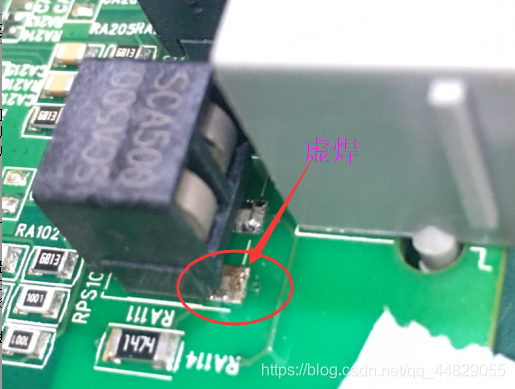
For information on cold joints and welding defects, seeAnalysis of Causes and Solutions for PCB Soldering Defects; For welding techniques, seeWhat Are Some Tips for Soldering PCBs?。
7. Properly Route the Leads
7.1 Using Small Components
If you need to connect external components to replace damaged parts inside an integrated circuit, choose small components and ensure they are connected properly to avoid unnecessary parasitic coupling. Pay special attention to the grounding connections between the audio amplifier integrated circuit and the preamplifier circuit.
8. Ensure Welding Quality
8.1 Ensure a Secure Weld
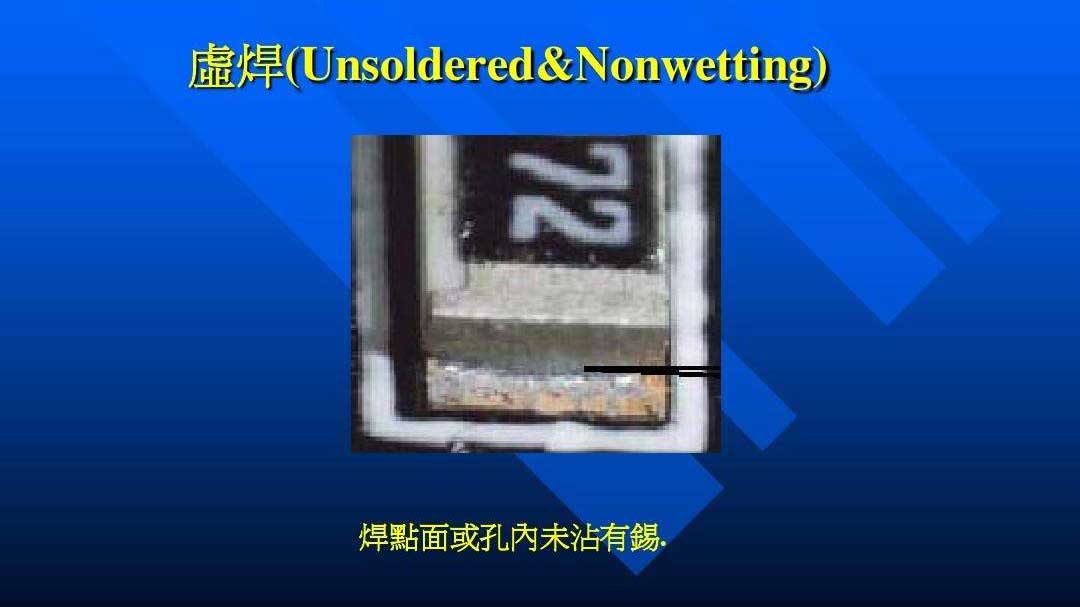
During the soldering process, be sure to ensure a secure solder joint. Excess solder buildup and porosity can lead to cold solder joints. Soldering time should generally not exceed 3 seconds, and the soldering iron should be set to a moderate power of approximately 25W. Carefully inspect the soldered integrated circuit. It is best to use an ohmmeter to check for short circuits between the pins and ensure there is no solder bridging before applying power.
9. Do not assume that an integrated circuit is damaged without proper evaluation
9.1 Carefully Assessing Integrated Circuit Damage
Do not jump to the conclusion that the integrated circuit is damaged. Since most integrated circuits are directly coupled, a malfunction in one part may cause voltage fluctuations in multiple locations; however, these fluctuations are not necessarily caused by damage to the integrated circuit. Therefore, when determining whether an integrated circuit is functioning properly, it is necessary to consider a variety of factors comprehensively.
PCB Debugging Methods
When debugging PCBs, the following methods can help you troubleshoot issues more efficiently:
1. Observation and Initial Examination
First, when you receive a new PCB, carefully inspect it for any obvious issues, such as cracks, short circuits, or open circuits. You can also check whether the resistance between the power supply and ground is within the normal range.
2. Install the components one by one
When debugging a newly designed circuit board, it is best to install components one at a time. For standalone modules, if you are unsure whether they are functioning properly, it is best to install them in batches so you can pinpoint the source of the problem.
3. Testing the Power Supply Section
First, install the power supply section and test whether the output voltage is normal. When powering up the system, it is recommended to use an adjustable regulated power supply with current-limiting protection to prevent potential overcurrent issues. Gradually adjust the voltage while monitoring the input current, input voltage, and output voltage to ensure that the power supply section is functioning properly.
4. Install the other modules one by one
As debugging progresses, install the other modules one by one, and power up the system for testing after each installation. This helps identify design or installation errors early on to prevent component damage.
Advanced: The Three Welding Parameters and Why Defects Are Hard to Detect
The original text provides three practical guidelines for soldering: excessive solder buildup and porosity can lead to cold solder joints; soldering time should generally not exceed 3 seconds; and the soldering iron should be set to a moderate power level, around 25W. After soldering, a thorough inspection is required. It is best to use an ohmmeter to check for short circuits between the pins and ensure there is no solder bridging before applying power. Rule 9 cautions against jumping to the conclusion that an integrated circuit is damaged—since most integrated circuits are directly coupled, a malfunction in one part may cause voltage fluctuations in multiple locations, but these fluctuations are not necessarily caused by damage to the integrated circuit; a comprehensive assessment of multiple factors is required when making a judgment.
| Project | Original Values/Requirements | Note |
|---|---|---|
| Welding Time | It should generally not exceed 3 seconds. | Overheating Protection |
| Soldering Iron Power | Moderate, around 25W | Matching the Thermal Requirements of Solder Joints |
| Causes of Poor Solder Joints | Solder Buildup and Pores | A visual inspection is required |
| Post-Weld Inspection | Use an ohmmeter to check for short circuits between the pins. | Make sure there is no solder residue before turning the power back on. |
| Do not be quick to write things off as a loss | Most integrated circuits are directly coupled, so a single anomaly can cause voltage fluctuations in multiple locations. | A comprehensive assessment is required. |
- "3 seconds" and "25W" are the two most specific values in the entire text.: Can be used directly as a work standard;
- After welding, use an ohmmeter first, then turn on the power.: The order given in the original text;
- Excess material buildup and porosity are the two main causes of cold solder joints.: Parallel structure in the original text;
- Direct coupling is the technical root cause of misjudgment: The original text cites this as a reason not to readily write off a loss;
- Damages must be determined by taking multiple factors into account.: The original text concludes with the phrase “taking all factors into consideration.”
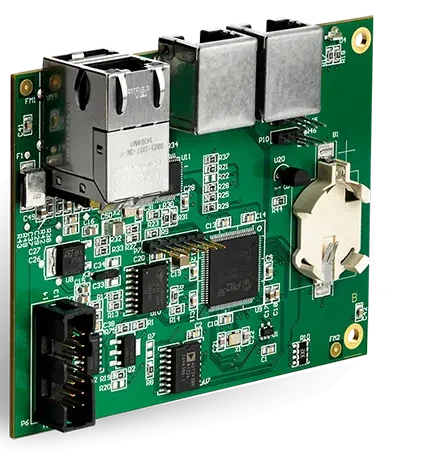
For troubleshooting poor soldering, seeCauses of Poor Soldering on PCBs and Troubleshooting Methods; See the Quality Assurance sectionQuality Assurance。
Methods for Troubleshooting
When a problem occurs, the following methods can help you quickly pinpoint the source of the problem:
1. Voltage Measurement Method
First, measure the voltages at the power supply pins of each chip to ensure they are normal. Check the various reference voltages and the operating voltages at each point. Abnormal voltages may indicate an open circuit at a pin or other issues.
2. Signal Injection Method
To troubleshoot the problem, measure the waveforms at each point along the signal source input circuit one by one. If a particular module does not respond normally, that may be the source of the problem.
3. Other Methods
You can also use your senses—such as sight, hearing, smell, and touch—to troubleshoot the problem. Check for damaged components, listen for unusual operating noises, check for strange odors, and feel for abnormal temperatures.
In summary, PCB testing is a complex and critical process that requires meticulous attention to detail. By following the tips and troubleshooting methods outlined above, you can better ensure the quality and performance of your PCBs to meet product requirements.
Advanced: The Four-Step Debugging Method and Three Types of Troubleshooting Techniques
The original text breaks down the debugging process into four steps: Upon receiving a new PCB, first carefully inspect it for any obvious issues, such as cracks, short circuits, or open circuits, and check whether the resistance between the power supply and ground is normal; when debugging a newly designed circuit board, it is best to install components step by step, installing individual modules in batches to narrow down the source of the fault; First, install the power supply section and test whether the output voltage is normal. When powering up, it is recommended to use an adjustable regulated power supply with current-limiting protection; gradually adjust the voltage while monitoring the input current, input voltage, and output voltage; then gradually install the other modules, powering up and testing after each installation to detect design or installation errors as early as possible. Three methods are provided for troubleshooting: the voltage measurement method, which involves first measuring the voltages at each chip’s power pins, the reference voltage, and the operating voltages at various points; the signal injection method, which involves injecting a signal from the input and measuring the waveforms at each point one by one; and other methods, such as visual inspection, auditory checks, olfactory checks, and tactile checks.
| Category | Original Method | Criteria |
|---|---|---|
| Debugging 1 | Observation and Initial Examination | Cracks, short circuits, open circuits; resistance between the power supply and ground |
| Debugging 2 | Install the components one by one | Install the modules in batches to determine the scope of the failure |
| Debugging 3 | Power Supply Testing | Use an adjustable regulated power supply with current-limiting protection to monitor three parameters |
| Debugging 4 | 逐步安装其他模块 | 每次安装后上电测试 |
| 寻故障 1 | 测量电压法 | 异常电压提示引脚开路或其他问题 |
| 寻故障 2 | Signal Injection Method | 某模块无正常响应即为疑似故障点 |
| 寻故障 3 | 观察、听觉、嗅觉、触觉 | 元件损坏、声音、气味、温度 |
- 先目视检查裂痕、短路、开路并测电源与地电阻;
- 按模块分批安装元件;
- 先调电源,用限流可调稳压电源逐步升压;
- 每装一个模块就上电测试一次;
- 出故障先测电压,再信号注入定位;
- 辅以看、听、闻、摸等手段。

SMT 外观检测见SMT Manufacturing Quality and Visual Inspection;调试方法见Methods for Debugging a Newly Designed PCB Circuit。
进阶:九条常识的速查表
原文用「9 个小常识」的形式把检测要点串起来,覆盖从测试前的准备、测量手法到焊接与判损。按执行顺序重排后,可以在每次上电前快速核对一遍,避免遗漏那些一旦出错就会扩大故障范围的条目。
| 顺序 | 原文条目 | 关键动作 |
|---|---|---|
| 1 | 电视、音响等设备的测试注意事项 | 确认底板是否带电 |
| 2 | 烙铁的绝缘性能 | 外壳接地,MOS 电路用 6~8V 低压烙铁 |
| 3 | 了解集成电路工作原理 | 掌握引脚正常电压与波形 |
| 4 | 避免引脚间短路 | 在外围印刷电路上测量 |
| 5 | 注意测试仪表的内阻 | 万用表内阻大于 20KΩ/V |
| 6 | 确保功率集成电路散热 | 大功率状态必须装散热器 |
| 7 | 合理处理引线 | 小型元器件,注意接地端 |
| 8 | 确保焊接质量 | 焊接不超过 3 秒,烙铁约 25W |
| 9 | 不轻易判断集成电路损坏 | 直接耦合会导致多处电压变化 |
- 前两条防的是安全事故:带电底板与带电烙铁;
- 中间三条防的是测量误差:短路、内阻、散热;
- 第七与第八条防的是工艺缺陷:寄生耦合与虚焊;
- 第九条防的是误判:原文明确「不要轻易下结论」;
- 全文最硬的三个数值:20KΩ/V、3 秒、25W。
- 确认底板与烙铁状态;
- 查阅待检 IC 的原理与引脚参数;
- 选好仪表并核对内阻;
- 检查功率 IC 散热器;
- 按 3 秒与 25W 完成焊接;
- 焊后用欧姆表查短路再通电。

常见设计错误见How to Avoid Common Mistakes in Printed Circuit Board Design;电路板加工见电路板加工。
Frequently Asked Questions
1. 如何避免在测试PCB板时引起短路?
在测试PCB板时,使用万用表或示波器时要小心,确保不会因为表笔或探头的滑动而引起集成电路引脚间的短路。最好在外围印刷电路上进行测量。
2. 如何确保焊接质量?
在焊接过程中,确保焊接牢固,避免焊锡的堆积和气孔,以防虚焊。使用合适功率的烙铁,焊接时间不应超过3秒钟。
3. 如何判断集成电路是否损坏?
不要轻易判断集成电路已损坏,因为电路中的多个因素可能导致电压变化。仔细分析电路,多角度考虑可能的问题。
4. 如何寻找故障的方法?
寻找故障可以采用测量电压法、信号注入法,以及观察、听觉、嗅觉和触觉等方法。逐步排查可以帮助确定故障点。
5. 为什么需要逐步安装模块进行调试?
逐步安装模块有助于确定故障范围,避免在整个电路板上同时出现问题时难以排查。这种方法有助于更系统地解决问题。
6. 测试带电的电视、音响设备时要注意什么?
原文指出绝对不能使用已接地的测试设备接触带电的电视、音响或录像设备,尤其是在处理输出功率较大或电源性质不明确的设备时,务必确认设备底板是否带电,否则可能导致电源短路并扩大故障范围。
7. 测量集成电路引脚直流电压时要用什么表?
原文要求选择内阻大于 20KΩ/V 的万用表,以减小测量误差的可能性。
8. 新板调试时电源部分应该怎么上电?
原文建议先安装电源部分并测试输出电压是否正常,上电时使用带有限流保护功能的可调稳压电源,逐步调整电压并同时监测输入电流、输入电压和输出电压。
Related Reading:Methods for Debugging a Newly Designed PCB Circuit · How to Avoid Common Mistakes in Printed Circuit Board Design