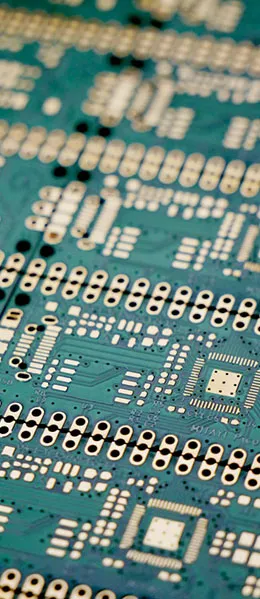
In electronic devices, printed circuit boards (PCBs) are the core components that connect and support various electronic components. However, PCBs consist of multiple distinct layers, each with its own specific function and purpose. This article will take an in-depth look at the different layers of a PCB to help you better understand this critical electronic component.
I. Top and Bottom Pad Layers
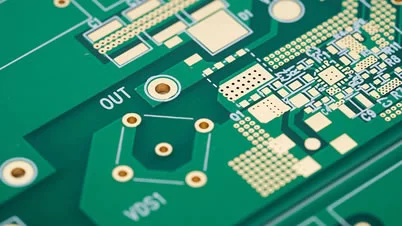
- Top Paste (Top Layer Bottom Pad Layer) 和 Bottom Paste (Bottom Pad Layer) These are the top and bottom pad layers. These layers are actually copper foil that is exposed on the outside of the PCB. When we route traces on the top layer, we usually see a trace on the green pads, but if we place a trace where the Top Paste (Top Layer Bottom Pad Layer) If you draw a square or a point there, the green pad will no longer be present at that location; instead, the copper foil will be exposed.
- Top Solder (Top Solder Mask) 和 Bottom Solder (Bottom Solder Mask) This layer is the opposite of the first two layers. Their function is to cover the green pads. The purpose of the solder mask is to apply a layer of green coating to the traces to prevent solder from flowing onto them. However, without adding Solder In the case of a single layer, green solder mask is typically added by default during the manufacturing of PCBs. If it is added, Solder layer, then once manufacturing is complete, you will see exposed copper foil at that location.
Advanced: Positive and Negative Images of the Pad Layer and Solder Mask Layer
The part where the pad layer and the solder mask layer are most easily confused isPositive and Negative Films. Let's use a different way of expressing it that's less confusing to remember:
- The solder mask is a negative film.: I drew the shape on this layer, so that's where it will appear in the final productOpening the Window to Reveal the Copper; Ink is applied only to the areas that haven't been drawn;
- The solder paste layer (paste/stencil layer) is the positive film.: After drawing the pattern, holes are cut in the steel mesh and solder paste is applied;
- The screen-printing layer is a positive film.: Print exactly what you draw;
- Mnemonic for Judgment: With negative film, “what’s drawn disappears”; with positive film, “what’s drawn remains.”
| 层 | Positive / Negative Film | Drawing a shape means | Common Mistakes |
|---|---|---|---|
| Top/Bottom Solder | Negative | A window has been cut out here, exposing the copper. | Mistakenly thinking that painting it would make it oil-resistant |
| Top / Bottom Paste | Main Feature | Apply solder paste here | Draw in the non-mounting holes as well |
| Top / Bottom Overlay | Main Feature | "Print here" | Character Overlaps Pad |
There is another alignment issue that is often overlooked: the openings in the solder mask and the openings in the stencil typicallyNot entirely consistent. The solder mask opening should be slightly larger than the pad to accommodate alignment tolerances; the stencil opening, on the other hand, is typically slightly smaller than the pad to minimize solder balls and bridging. Each is designed according to its own set of rules, so the same artwork cannot be directly applied to both.
The most immediate consequence of reversing the solder mask orientation is this: if the entire board is left with open windows, large areas of copper will be exposed, leading to bridging and oxidation; if the entire board is covered with solder mask, none of the pads will be solderable. Previewing the design once with a CAM tool before sending the board for production is the most cost-effective safeguard.
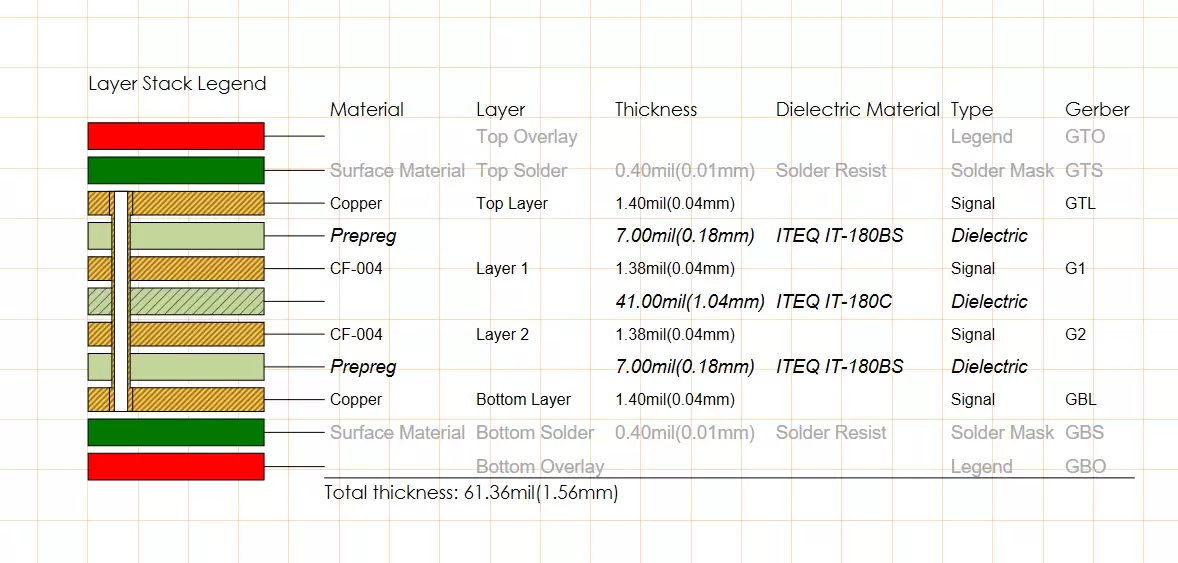
For information on the relationship between solder paste and stencils, please refer toKnowledge About Solder Paste for SMT Assembly; For the layered design, seeLayer-up Structure of RF PCBs (High-Frequency Microwave RF Boards)。
II. Past Layer
Past Layer A stencil used to prepare solder paste before surface-mount assembly on a PCB. This is a critical step in applying solder paste before mounting electronic components. Solder paste helps secure the electronic components to the PCB.Reflow SolderingTo be continued.
III. DrillGuide and DrillDrawing
- DrillGuide (Drilling Guidance Layer) Used for manual drilling to mark positions. It is primarily used to guide the positioning of manual drilling.
- DrillDrawing (Drilling Drawing Layer) Used to view the diameter of drill holes. These two files are typically used in conjunction with each other. However, since most PCB manufacturing now uses CNC drilling, the role of these two layers is relatively minor.
Advanced: Are the layers related to drilling still useful?
The original text mentions that the roles of DrillGuide and DrillDrawing have diminished, which is true, but they still serve two types of functions:
- Pore Size and Pore Count Annotations: To enable production and inspection personnel to quickly determine the aperture size, number of apertures, and whether metallization has been applied;
- Locating and Verifying: Guidance information is still needed when performing manual drilling, rework, and jig fabrication.
It is important to distinguish between the "Mechanical Layer" and the "MultiLayer":The mechanical layer is used solely to represent physical information such as shapes, slots, and dimensional annotations.;Graphics on the MultiLayer will appear on all routing layers...is often used to place through-hole pads, but under no circumstances should routing restrictions be drawn on the electrical layers.
There is another point that is easy to confuse:The Keep-Out layer and the MultiLayer function in opposite directions.—The former means “You cannot place items here,” while the latter means “This item is available on all floors.” Mixing the two is a common cause of errors in the dropboard data.
For technical details on the drilling process itself, seeAn Introduction to Mechanical Drilling Techniques for Printed Circuit Boards。
IV. Mechanical and Multi-Layer
- Mechanical (Mechanical Layer) Used to place mechanical graphics, such as the outline of a PCB. This layer defines the overall structural appearance of the PCB.
- MultiLayer (Multi-layer Hierarchy) This is a special layer that has corresponding patterns on all layers and is not obscured by the solder mask applied during screen printing. The primary function of this layer is to restrict routing, preventing traces from extending beyond specific boundaries. It affects all routing layers.
V. Other Layers
- Keepout Layer Used to prevent wiring, meaning that in Keepout Layer Shapes placed here will not appear on the routing layer. This is used to define the boundaries of electrical circuits.
- Top Overlay (Top Screen-Printing Layer) 和 Bottom Overlay (Bottom Screen-Printing Layer) Used to define silkscreen characters on PCBs, such as component numbers and other characters.
- Multilayer (Multi-layer) Defines all layers of the PCB.
The concept of layers is crucial in PCB design, as each layer has its own specific function and purpose. Selecting the correct number of layers is essential for designing and manufacturing high-quality PCBs. It is important to ensure that these layers are properly configured and utilized during the PCB design process to guarantee the board’s performance and reliability.
Advanced: A Quick Reference Chart for Layers
| 层 | Uses | Would you like to participate in light painting? |
|---|---|---|
| Top / Bottom Layer | Electrical Wiring and Copper Tracing | 是 |
| Top/Bottom Solder | Definition of Solder Mask Cutouts | 是 |
| Top / Bottom Paste | Definition of Steel Mesh Aperture | For steel mesh |
| Top / Bottom Overlay | Screen-Printed Characters | 是 |
| Mechanical | Outline, Notches, Dimension Annotations | Part |
| Keep Out | Restricted Areas Where Wiring Is Prohibited | 否 |
| Drill Guide / Drawing | Drilling Positioning and Hole Diameter Chart | For drilling |
| MultiLayer | A graphic that penetrates all layers | 是 |
It’s worth noting that different design software programs use varying terminology for layer names: some refer to the steel mesh layer as “Paste,” while others call it “Solder Paste”; the number of mechanical layers and their default purposes also vary. When collaborating across teams, it’s more efficient to standardize terminology using a layer mapping table than to argue over naming conventions.
Go over this checklist item by item before sending the board for production. This will prevent most rework caused by layer misalignment and significantly reduce the number of back-and-forth confirmations with the board manufacturer.
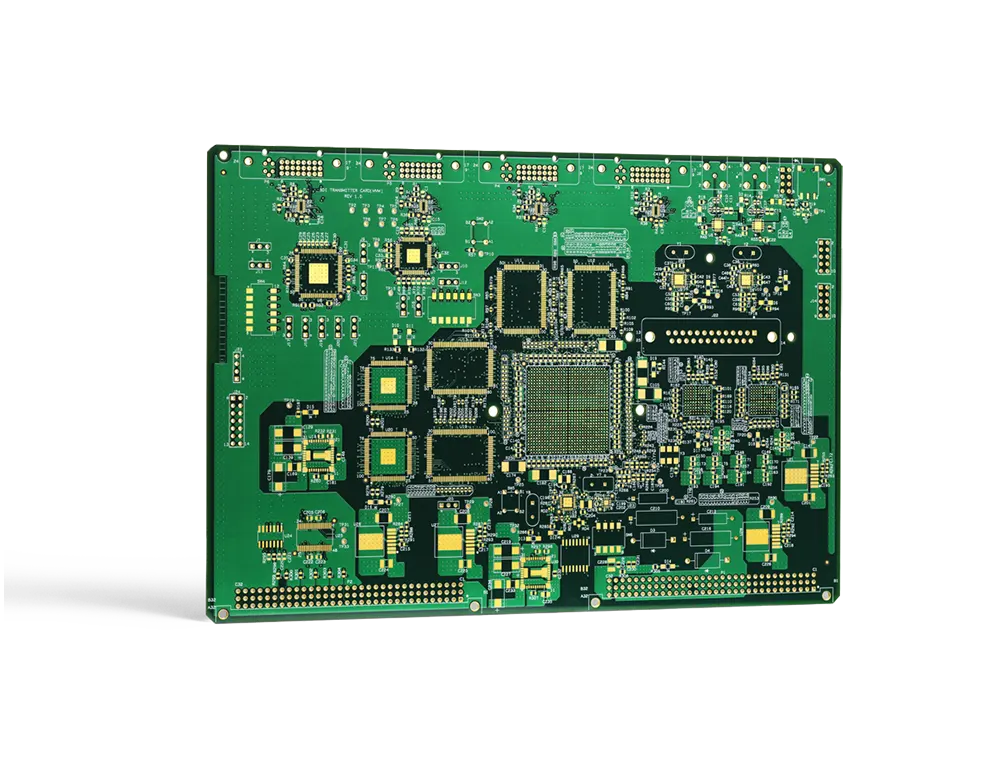
Standard terms and conditions may be referenced34 Common IPC Standards for Printed Circuit Boards。
Advanced: How to Determine the Number of Layers, and What to Check When Inserting a Board
More layers aren't necessarily better; the criteria for determining this areWiring Density, Signal Integrity, and CostThe Balance Among the Three:
- Estimating Cabling Density: Estimate the number of signal layers required based on the number of components and the number of routing channels;
- Confirm Reference Plane: Each signal layer must have an adjacent, complete plane;
- Confirm Power Split: Does a multi-circuit power supply require its own floor?;
- Cost Assessment: For every two additional layers, both costs and lead times increase significantly;
- Confirm with the panel manufacturer: Layer-up symmetry and manufacturability are evaluated together.
In addition, if there are impedance control requirements for the board, these must be specified in the documentation.Target Impedance, Tolerance, and Reference Layer, and indicate the dielectric thickness and copper thickness in the stack-up diagram so that the PCB manufacturer can calculate the trace width accordingly.
Before submitting the board, check for the following common errors in each layer:
- 把Using the solder mask as a positive film, the window opens in the wrong direction;
- The Keep-Out layer was accidentally exported as an electrical diagram., causing an open circuit or a short circuit;
- Several non-overlapping outline paths have been drawn on the mechanical layer., the board manufacturer is unable to determine a baseline;
- The stencil layer contains holes that do not require solder., resulting in an excess of tin;
- Screen-printed on the pad, affecting welding and electrical testing.
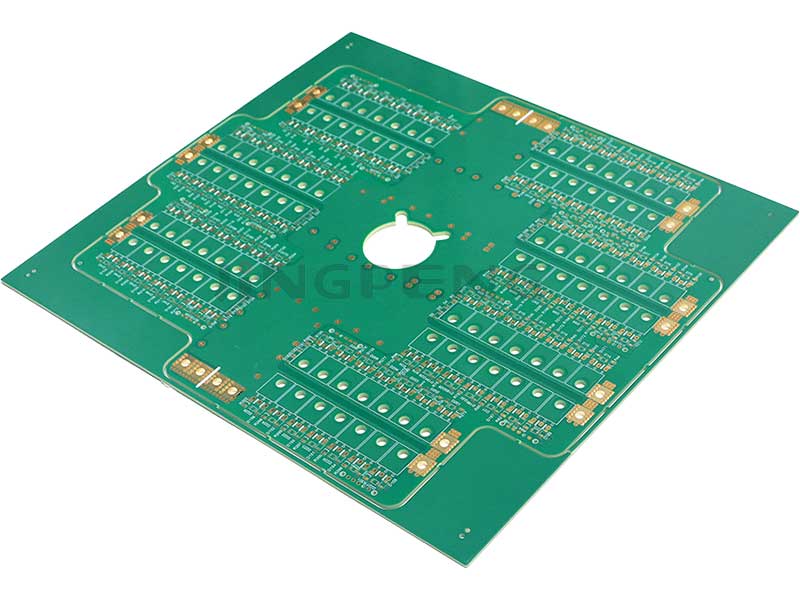
For more ways to avoid design errors, seeHow to Avoid Common Mistakes in Printed Circuit Board Design; For requirements regarding layers and shapes for the imposition method, seePCB Panelization Methods。
Conclusion
Understanding the different layers of a PCB is essential for electronic engineers and PCB designers. These layers play a critical role in the functionality and performance of a PCB. Proper use and configuration of these layers ensure the high quality and reliability of electronic products.
Frequently Asked Questions
1. What are the pads on a PCB?
On a PCB, a pad refers to a layer of copper foil typically used to connect electronic components. Pads can be categorized as top-layer and bottom-layer pads, as well as their corresponding top-layer and bottom-layer solder mask layers.
2. What is solder paste, and what is its role in PCB manufacturing?
Solder paste is a material used in PCB manufacturing that is applied to the PCB before component placement. Solder paste facilitates the reflow soldering of electronic components, ensuring they are securely attached to the PCB.
3. What are the advantages of multilayer PCBs?
Multilayer PCBs offer higher routing density and performance because they allow electronic components and traces to be placed on different layers, thereby reducing the size of the circuit board and improving efficiency.
4. How do you choose the appropriate number of PCB layers?
Selecting the appropriate number of PCB layers depends on the requirements of the specific application. Generally, more complex electronic products require more layers, while simpler products can use fewer layers.
5. What are some common mistakes in PCB design?
Common PCB design errors include incorrectly configuring pads, silkscreen characters, or layers, as well as failing to use no-route layers. These errors can affect the performance and reliability of the PCB.
6. What happens if the solder mask is applied incorrectly?
The consequences are immediate. If the orientation is reversed, exposing the entire board will result in extensive copper exposure, short circuits, and oxidation; conversely, if the entire board is covered with solder mask, none of the pads will be solderable. Since the solder mask is a negative process, errors tend to occur across the entire board rather than in isolated areas, resulting in greater losses.
7. What is the difference between a MultiLayer and a Keep-Out layer?
They function in opposite directions. Patterns on the MultiLayer appear simultaneously on all routing layers and are commonly used for through-hole pads; the Keep-Out layer is a restricted area, indicating that routing and copper fill are not permitted within that area, and it does not participate in electrical output.
8. Is more floors always better?
No. Increasing the number of layers leads to a threefold increase in cost, lead time, and lamination risks. The proper approach is to first determine the number of layers based on routing density and signal integrity requirements, and then ensure that each signal layer has a complete reference plane, rather than simply adding more layers.
9. Is it still necessary to output the drilling layers?
It is necessary, but its function has changed. CNC drilling relies primarily on drilling files, while DrillGuide and DrillDrawing are used more for manually verifying hole diameters and counts, rework positioning, and fixture fabrication; they serve auxiliary and verification purposes.
10. How can I ensure that the panel manufacturer accurately understands my layer definitions?
Two steps: First, attach a copy to the submission instructionsTable of Floor-by-Floor Uses, clearly specify what goes on each layer and which layers are used for light painting; second,Request that the panel manufacturer send back a CAM preview or engineering confirmation formCheck each layer carefully to eliminate any ambiguities before submitting to the board.
Related Processes:How to Avoid Common Mistakes in Printed Circuit Board Design