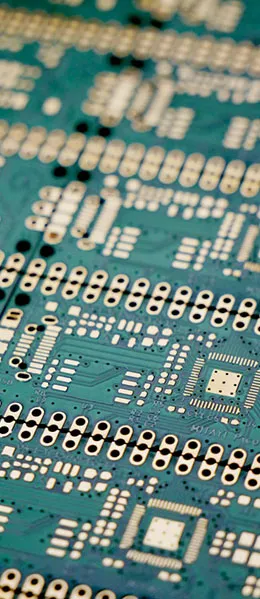
In PCB design, improving a circuit board’s immunity to interference has always been a key concern for engineers. Noise and electromagnetic interference can negatively impact the performance and stability of electronic devices. In this article, we’ll share some tips to help you reduce noise and electromagnetic interference on your circuit boards, thereby improving device performance.
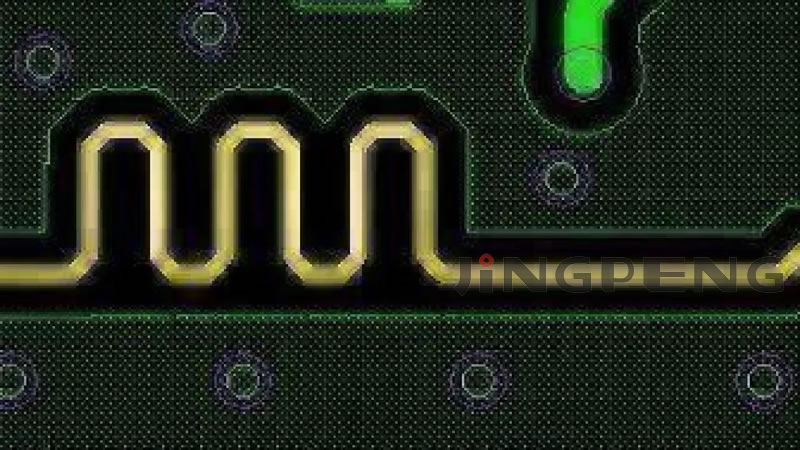
1. Choose the appropriate chip speed
- Using low-speed chips: In design, use low-speed chips whenever possible and reserve high-speed chips for critical areas only. High-speed chips are more prone to generating interference in high-frequency environments, so using them selectively can reduce the system’s overall noise level.
2. Rise and fall times of the control signal
- Using Resistors: By connecting a resistor in series, the rate of change of the rising and falling edges in the control circuit can be slowed, thereby reducing high-frequency noise in the signal.
3. Provide damping for relays and other components
- Damping: Provide some form of damping for components such as relays to reduce their shaking and vibration and minimize the occurrence of interference.
4. Use the lowest-frequency clock
- Clock frequency: Use a clock with the lowest frequency that meets the system requirements whenever possible. High-frequency clocks may introduce more noise.
5. Clock Line Layout
- Clock Line Layout: The clock generator should be located as close as possible to the device that uses the clock. The quartz crystal oscillator housing must be grounded to minimize interference.
6. PCB Routing
- Clock Area: Use ground planes to isolate clock domains, and keep clock lines as short as possible to minimize interference during clock signal propagation.
7. Location of the I/O Driver Circuit
- I/O Driver Circuits: I/O driver circuits should be placed as close as possible to the edge of the printed circuit board so that they exit the board as quickly as possible. Signals entering the printed circuit board must be filtered to minimize signal reflections.
8. Ensure the pins are connected
- Connections and Pins: Pins should be kept as short as possible, and the inputs of unused logic gates should not be left floating. In addition, the positive input of an unused operational amplifier should be grounded, and the negative input should be connected to the output.
9. Use a 45° broken line
- Wiring Method: When routing PCB traces, use 45° bends rather than 90° bends whenever possible to minimize the radiation and coupling of high-frequency signals.
10. Partition Layout
- Partition Layout: PCB boards should be zoned based on frequency and current switching characteristics to isolate noisy components from non-noisy components, thereby reducing interference.
11. Carefully design the power and ground wires
- Power Cord and Ground Wire: Single-sided and double-sided circuit boards should use single-point grounding and single-point power supply connections, and the power and ground wires should be as thick as possible to reduce inductance.
12. Isolating Clock, Bus, and Chip Select Signals
- Signal Isolation: Clock, bus, and chip-select signals should be routed away from I/O lines and connectors to reduce the likelihood of interference.
13. Avoid signalized intersections
- Signal Intersection: Analog voltage input lines and reference voltage terminals should be routed as far away as possible from digital circuit signal lines, especially clock signals. For A/D devices, the digital and analog sections should be kept as integrated as possible to avoid crosstalk.
14. Vertical Clock Line
- Clock Line Layout: A clock line that is perpendicular to I/O lines causes less interference than one that runs parallel to them; the pins of clock components should be located away from I/O cables.
15. Pin Length and Decoupling Capacitors
- Pins and Decoupling Capacitors: Component leads should be kept as short as possible, and each integrated circuit should be equipped with a decoupling capacitor. In addition, a small high-frequency bypass capacitor should be added next to each electrolytic capacitor.
16. Energy-storage capacitors for circuit charging and discharging
- Circuit Capacitance: For energy-storage capacitors used in charging and discharging circuits, it is recommended to use high-capacity tantalum capacitors or PolyCool capacitors rather than electrolytic capacitors. When using tubular capacitors, the casing must be grounded.
These techniques can help engineers reduce noise and electromagnetic interference in PCB design and improve the board's immunity to interference. By carefully considering the layout and signal routing, you can ensure that the performance and stability of electronic devices are fully safeguarded.
Frequently Asked Questions
1. Why should we use low-speed chips whenever possible?
Using low-speed chips can reduce the likelihood of high-frequency interference and improve the circuit board's immunity to interference. High-speed chips are more prone to generating noise in high-frequency environments.
2. What is a decoupling capacitor?
Decoupling capacitors are components used to eliminate noise in circuits and stabilize voltage. Every integrated circuit should be equipped with a decoupling capacitor.
3. Why should signal crossings be avoided?
Signal crosstalk can cause interference and noise. Avoiding signal crosstalk helps maintain circuit stability and performance.
4. Why should the clock line be perpendicular to the I/O lines?
Routing clock lines perpendicular to I/O lines can reduce interference, because perpendicular routing minimizes signal coupling.
5. Why is it necessary to divide a circuit board into sections?
A zone-based layout can isolate noisy components from non-noisy components, reducing the likelihood of interference and thereby improving the circuit board's immunity to interference.
By following these tips, you can effectively improve the interference resistance of your PCBs and ensure the performance and reliability of your electronic devices. If you have any further questions or need additional advice, please feel free to contact our team of professional engineers.